Know exactly what's on your network.
Scan your network, see every connected device in one list, and catch IP address conflicts the moment they happen — before they knock a printer, a server, or someone's laptop offline.
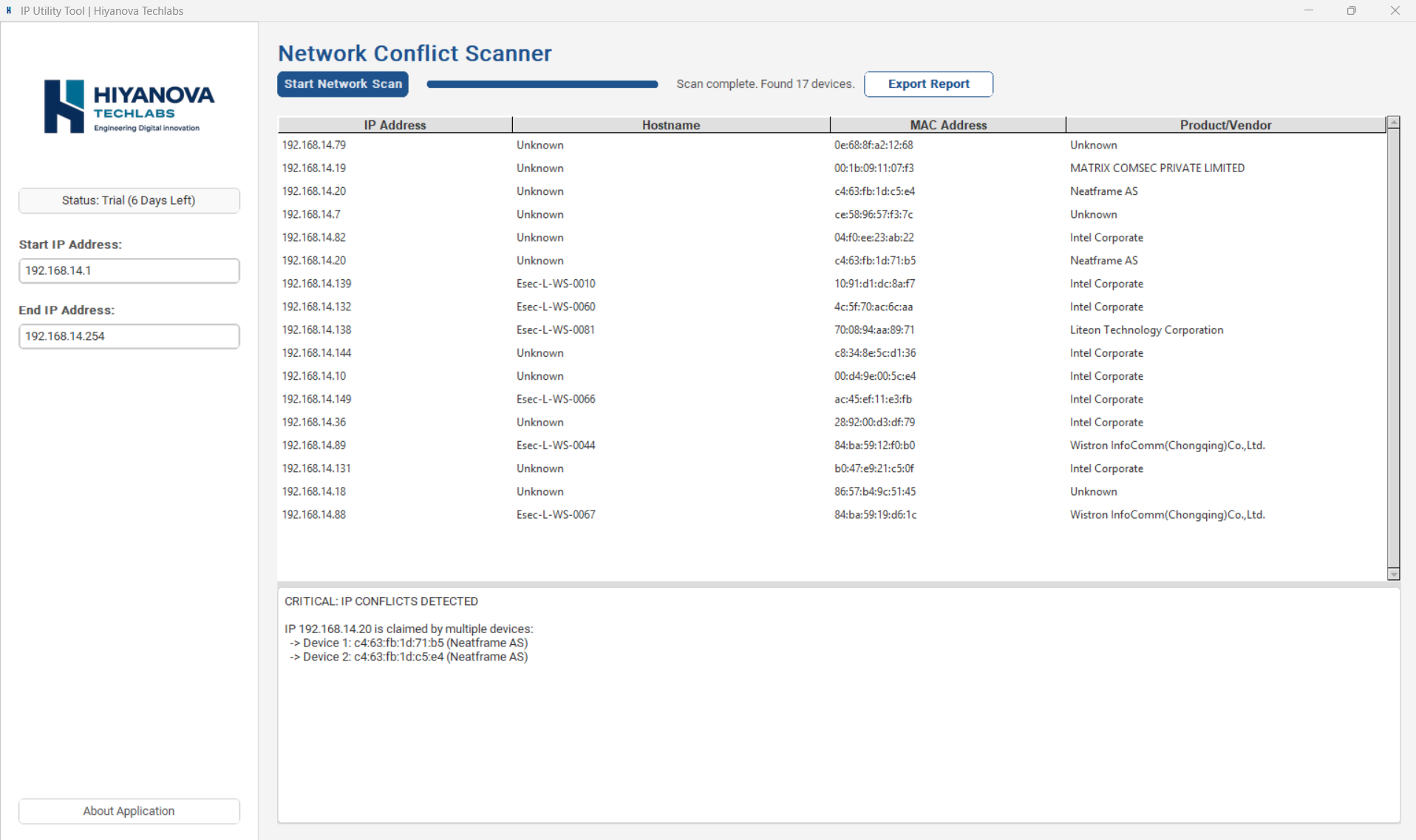
Three things it does well, instead of a hundred things half-done.
Network scanning
Point it at your network and it finds every reachable device in seconds — no manual IP entry, no guesswork.
Full device list
See IP address, hostname, MAC address, and vendor for every device — laid out clearly, sortable at a glance.
IP conflict detection Industry first
The moment two devices claim the same address, the app flags it directly in the list — the first tool of its kind to surface this in real time.
From install to answer in under a minute.
Install and open
Download the app and open it — your 7-day trial starts automatically, no account needed to begin.
Set your IP range
Enter a start and end IP address for the range you want to scan — for example 192.168.14.1 to 192.168.14.254.
Start the network scan
Click "Start Network Scan." The tool sweeps that range and lists every device it finds with its IP, hostname, MAC address, and vendor.
Catch conflicts instantly
If two devices are claiming the same IP, a "Critical: IP Conflicts Detected" panel names both devices immediately, right below the results.
A simple sidebar, a clear result — nothing to dig through.
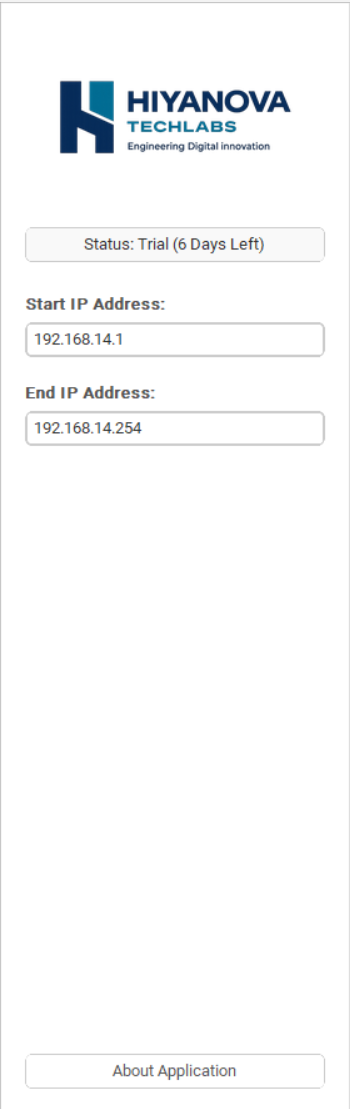
The sidebar shows your trial status at a glance and lets you set the exact IP range to scan.
Results list every device found. Conflicts get their own panel — no scrolling through logs to find them.
Activation takes three steps — no reinstalling, no losing your setup.
Each install has a unique Machine ID. You turn that into a permanent license through the online License Portal.
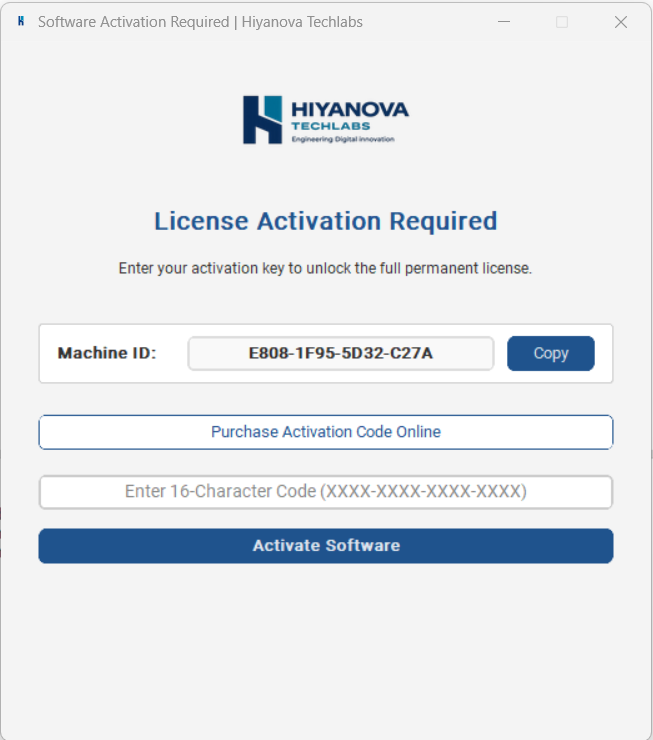
Copy your Machine ID
Once the trial ends, the app shows your unique Machine ID with a one-click Copy button.
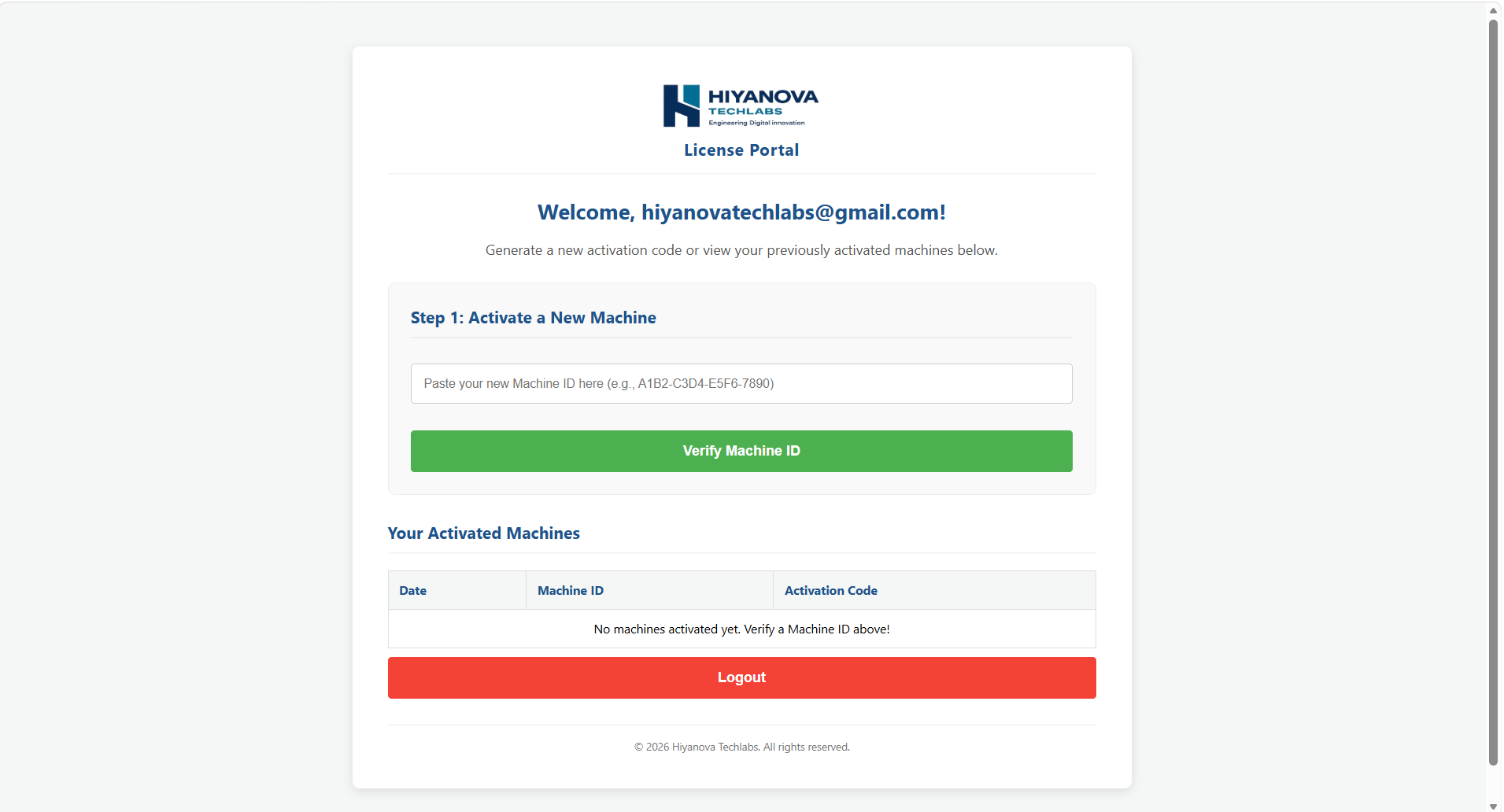
Verify it in the License Portal
Log in at licenseportal.hiyanova.com, paste in your Machine ID, and verify it to generate your activation code.
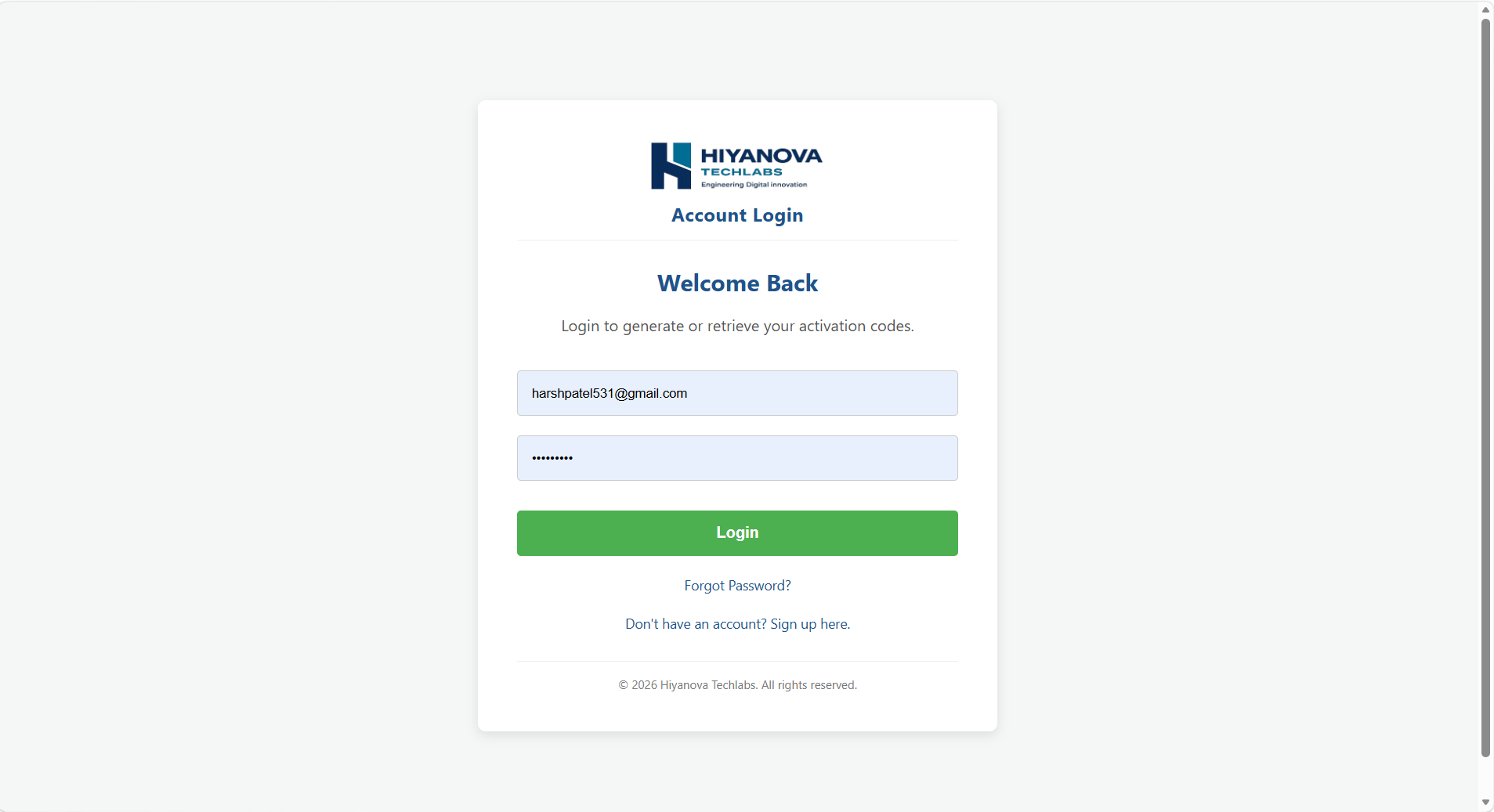
Enter the code, activate
Paste the 16-character code into the app and select Activate Software. Your license is now permanent on that machine.
Try it fully for a week. Then own it, once.
No feature gates during the trial and no recurring bills after you buy. That's the whole model.
Run the complete app on your own network and confirm it works the way you need before paying anything.
- Every feature fully unlocked
- Unlimited scans for 7 days
- No credit card to start
When the trial convinces you, activate your Machine ID through the License Portal and unlock the app for good — no renewals, ever.
- Pay once, use it for good
- Tied to your Machine ID, not a recurring plan
- Activate anytime from the License Portal
Find out what's really on your network.
Start with the free 7-day trial. If it earns a spot on your machine, unlock it for good with one purchase.
Download for Windows Back to home